The crew portal runs in the browser, there is no app to install
The crew does not have to download anything, create an account in an app store or update before the event. They open a link on the phone and they are in. The same goes for the team leads, who register attendance in the middle of a shift.
What a crew member can do on the phone
The portal is the same whether it is opened on a computer or a phone. In practice it gets used on the phone, and that is where shifts are accepted, swapped and shown at the entrance.
In the portal on mobile
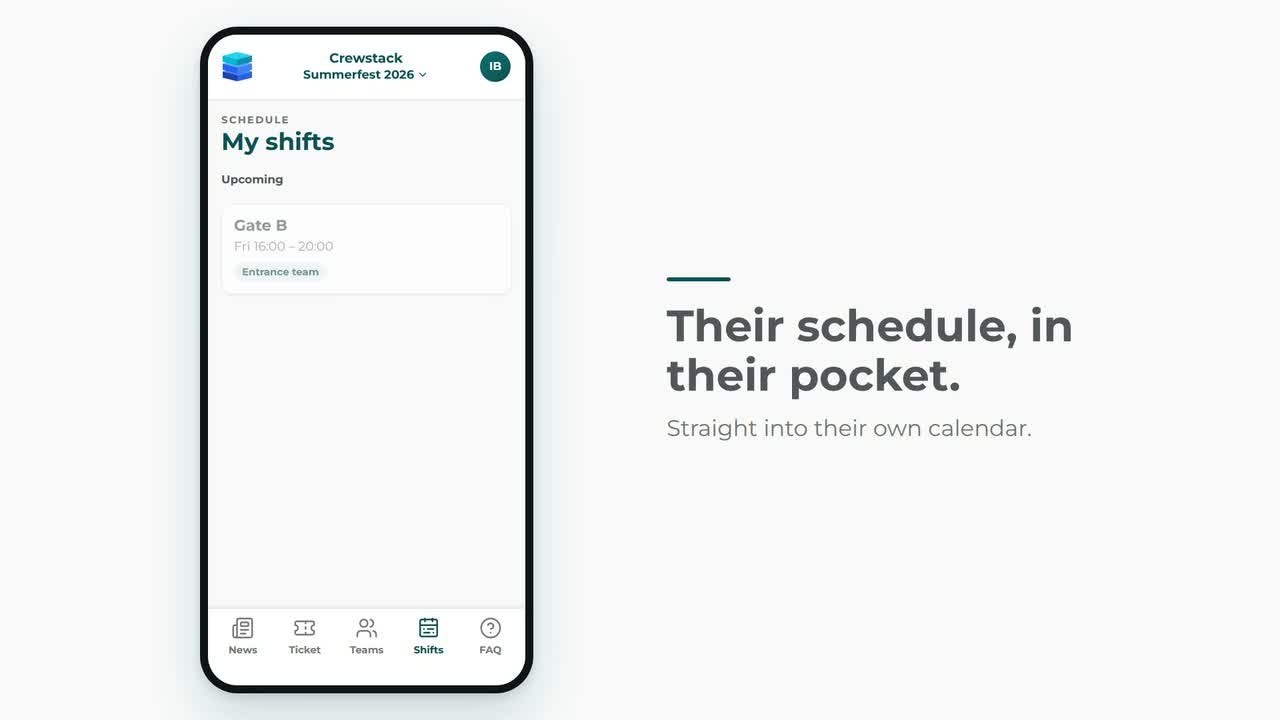
- Shifts: see their shifts, accept them, and pick or request new ones if the schedule is set up for it.
- Shift swaps: offer a shift to others and take over a shift someone has given up.
- Pass with QR: the pass sits in the portal and is shown on the screen at the entrance.
- Team and news: see their team, the team's news and the FAQ that applies to their user type.
- Messages: read and reply to messages from the team lead and the administration.
- Files: get instructions, maps and schedules from the team's folder.
The team lead and the entrance use the same system
It is not only the crew who are standing with a phone. Attendance and check-in also happen while people are walking around.
Attendance from the phone
The team lead or the shift manager registers attendance on the shift, where the shift is happening, instead of on a piece of paper that has to be typed in afterwards.
The scanner is a web app
The scanner opens in the browser on the device you have at the entrance. Nothing has to be installed on it.
Hand scanner or search
The scanner reads barcodes and QR codes from a connected handheld scanner, and you can search on name, email or phone number if someone has forgotten their pass.
Hand-out at the same desk
Besides check-in, the scanner can hand out products, one item at a time if you want, show notes on the person and show the history of what has already been picked up.
Fields from the registration in the scanner
A field from the registration can be set to show in the scanner, so whoever is standing at the entrance can see what is relevant right there.
Calendar on the phone
The shifts can be pulled in as a calendar subscription, so they sit alongside everything else in the crew member's own calendar.
The scanner reads codes from a connected handheld scanner, not from the phone camera, and the portal does not work without a network connection.
Try the portal on your own phone
We send a link to a demo event, so you can see what your crew actually meets.