Crew accreditation for events, where a simple schedule is not enough
Crewstack brings crew registration, teams, schedules, communication, accreditation, access, catering and guest lists together in one system. It is set up around your structure, not a template, and has been running at events since 2014.
Since 2014 at Roskilde Festival, Copenhell, Heartland and Folkemødet, among more than 150 events. Developed in Denmark, data in the EU. Formerly Heap360.
Counted across all events in the system since 2014.
Is Crewstack the right choice for you?
Crewstack is not built for the smallest possible need. It is built to make complex crew operations manageable, for organizers where teams, rules, access and guests depend on each other.
Crewstack fits you if
- You have many teams and team leads who need to run their own part without getting access to everything.
- Access, meals and perks depend on who works when, for how long and on which team.
- You have guests, press, artists or partners to accredit alongside the crew.
- You want to set the rules yourself: minimum shifts, requirements on specific shifts, waiting lists and document requirements.
- You have outgrown spreadsheets, form tools or a simple shift system.
Choose something simpler if
- You need one registration form and a handful of shifts for a single event.
- You have neither guest lists, accreditation nor catering to keep track of.
- Price is the only thing that decides.
Then a simpler and cheaper tool is probably enough. We will happily say so on a demo.
A specialized crew system that fits into the rest of your event setup
You do not need to replace your ticketing or payment platform to get professional crew operations. Crewstack goes deep on people, teams, shifts, access, catering and guests, and runs alongside the systems you already have. Access and catering can follow the crew onto RFID wristbands through integration, and members, shifts and reports can be exported to Excel. See how Crewstack connects to your other tools.
From registration to finished event
Six steps that hang together in one system. What you set up in the registration is used in the teams, the shifts, the access and the reports.
Registration
A form of its own per user type, with several pages, conditional fields and document upload. Open registration, invitation only, or only for last year's crew. Waiting list when the teams are full.
About registration →Teams and team leads
Team groups in several levels, with capacity per team and per user type. Team leads add, move and invite crew members themselves and have their own overview of the team.
About roles and access →Schedule
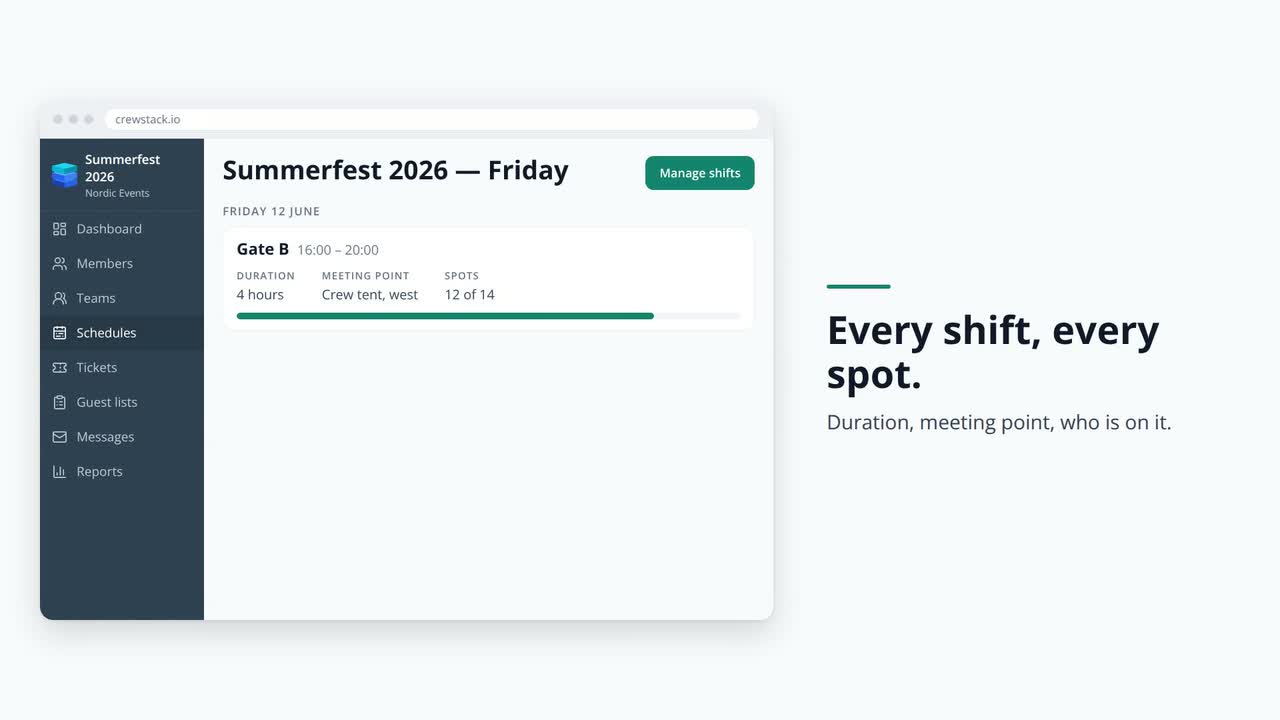
Drag and drop, create many shifts at once, copy from last year. Rules for min. and max. shifts and hours, requirements per shift and breaks between shifts. Crew members pick or request shifts themselves and swap between them.
About shift planning →Communication
Messages to teams, team groups, user types or everyone. Send as email and SMS, schedule the sending in advance, and let the system send SMS reminders before the shift.
About communication →Accreditation and catering
Access, add-on and extra products are assigned per user type, team or guest list, with a budget per team group and team. Passes with QR code or barcode, scanning and hand-out. RFID and NFC wristbands through integration.
About accreditation and products →Running the event and following up
Attendance registration per shift, a "working now" overview, live check-in numbers, dashboards and Excel export. Schedules, forms and templates are reused next year.
About reports →What actually saves hours
A feature list does not say much. The workflows do, the ones that otherwise end up as manual work in the inbox and in spreadsheets.
Crew members pick shifts within your rules
You decide whether crew members may pick shifts directly, may only request them, or whether the team lead assigns them. The rules are set once and apply automatically.
- Minimum and maximum number of shifts and hours per user type, and per schedule
- Requirements on specific shifts, for example age or an answer from the registration
- Breaks between shifts and a stop for double booking
- Shift swaps between crew members, visible to the schedule, the team or the whole event, as you choose
- Publish the schedule when it is ready, and notify the people it affects
Team leads run their own team
The team lead sees their own team and their own team group. Not the rest of the event. How much they may do is up to you in the settings.
- Add, move and invite crew members, including from last year's team
- Plan shifts, appoint shift supervisors and register attendance
- Send messages to the team, also as SMS if you allow it
- See their own attendance reports and export the team's shifts
- Roles are changed only by your administrators, never by the team leads themselves

Accreditation and meals follow the shifts
Access, meals and perks are products in the system. They are assigned per user type, team or guest list, and you can see who got what.
- Three product types: access, add-on and extra, with a total limit per product
- Budget per team group and team, so a team cannot hand out more than it has been given
- Ticket designer with your own background and the QR code or barcode where you want it, per user type and language
- Scanner for check-in and hand-out, including one item at a time
- Report on hand-outs per product, time and person handing out

- Example: meal ticketsThe bar gets 40 meal tickets in its budget. The team lead hands them out to its crew members, and the depot scans them out one at a time.
- Example: access wristbandsEveryone on the build crew gets access to the site from Monday. Everyone else from Thursday. Wristbands are handed out at the first check-in.
- Example: RFID wristbandsProducts can be synced to RFID and NFC wristbands. EventPos and Corego are integrated today, and other suppliers can be connected by agreement.
The registration is yours, not ours
Each user type gets its own form. A volunteer, a contractor and an artist do not answer the same questions. You decide the fields, the order, the pages and what is required, and the answers can be used as requirements on shifts and shown to the scanner.
- 29 field types, among them document upload with approval by an administrator or team lead
- Conditional fields that only appear when another answer calls for it
- Registration open, invitation only, or only for last year's crew
- Your own email templates per language and user type, your own logo, your own colors and your own domain
- Danish, English, German and Faroese in the portal

One system, three roles
The administration, the team leads and the crew work in the same system, but see only what is relevant to them.
Crew administrator
The full overview and the rules.
- Crew list with status, filters and saved searches
- Dashboards with registrations, capacity, check-ins and hand-outs
- Shift report, check-in report, email and SMS log
- Activity log and an optional reason on actions
- Excel export of members and shifts
Team lead
Own team, own schedule, own messages.
- The team's members, pending and withdrawn
- Schedule for the team with requirements and capacity
- Attendance registration on the day
- Messages and news for the team
- Internal notes, if you give access
Crew member
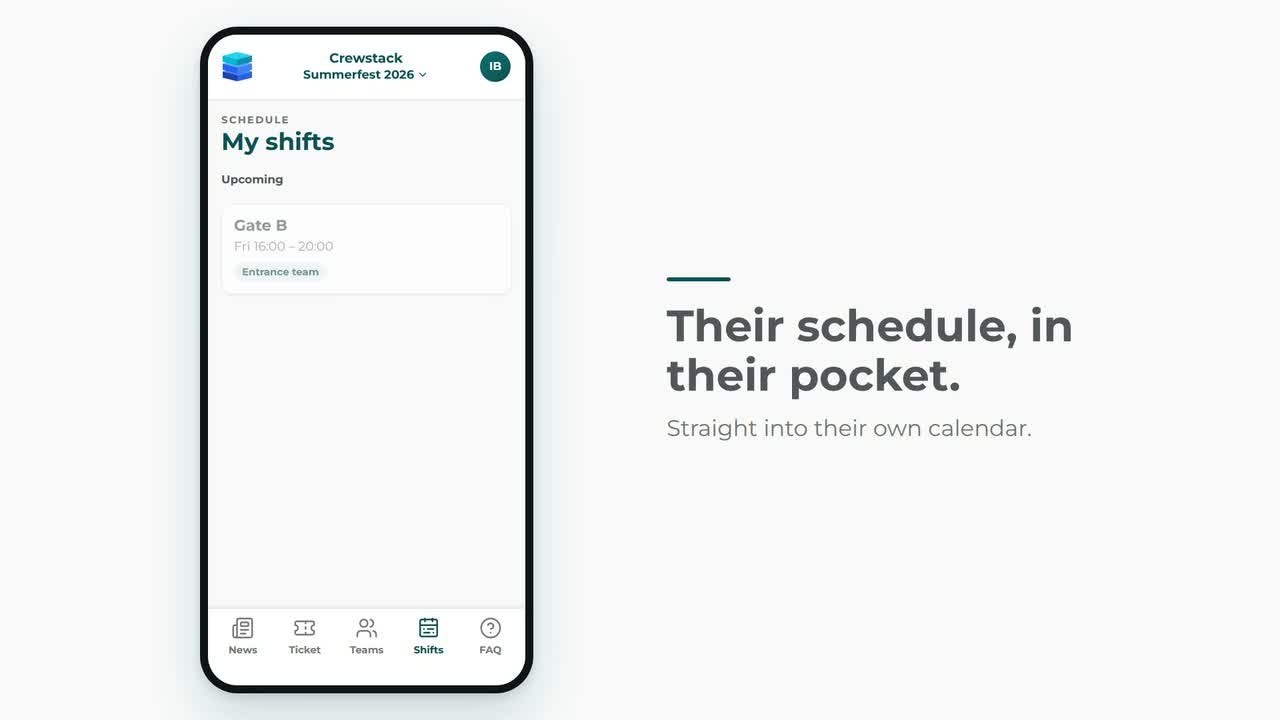
Portal on the phone, no app to install.
- Own shifts, accepting shifts and calendar subscription
- Pick or request shifts, swap shifts with others
- Pass with QR code, news and FAQ
- Messages from the team lead and the administration
- SMS reminder before the shift


Crew accreditation, guest lists and products in one system
The crew, the press, the artists and the partners are accredited by the same people, in the same system, and scanned at the same entrance. Nobody ends up in a spreadsheet on the side.
Crew accreditation
Access, add-on and extra products are assigned per user type, team or guest list, with a budget per team group and team, so a team cannot hand out more than it has been given. In the ticket designer you upload your own background and place the QR code or barcode, the product list and fields from the registration, so passes come out as a PDF in your design.
The scanner is a web app: a handheld barcode scanner, or a search on name, email or phone when someone turns up without a pass. Check-in, hand-out one item at a time, notes and history. Where a product belongs to a shift, the QR code is valid only inside the shift's time window. RFID and NFC wristbands are synced through an integration with EventPos and Corego, and other providers by agreement.
Guest lists the partners manage themselves
A sponsor or a media outlet gets a link to its own guest list. No account, no login. They add names themselves within the quota you have set per product, right up to check-in.
Import from Excel, creation of many lists at once, passes sent one by one or all together, and check-in from the scanner or straight from the list.
Categories for press, artists and partners
Guest lists are collected in groups that you name yourself: press, artists, sponsors, suppliers. Each group has its own ticket templates and email texts, so a photographer and a sponsor do not get the same pass.
A guest list manager can get access to the guest lists alone, without seeing the rest of the event. As an option, guests can pay a fee or give a donation for the ticket.

Connects to the tools you already use
Crewstack fits into the rest of your event setup. You keep the systems you already rely on, and Crewstack can be connected to them, so the information about your crew follows along instead of being kept in two places.
Chip wristbands and cashless
Access, meals and perks can follow the crew member onto a chip wristband or into a wallet on the phone. When the shifts or the products change, the wristband follows.
Payments
Membership fees, deposits and guest list tickets can be paid by card as part of the flow, with the money going straight to your own account.
Newsletters and communication
Your crew can be kept in sync with the list you send newsletters from, so it is always up to date.
Using something else at your event?
Tell us which tools you use to coordinate your event, and we will look at connecting them. We set up the connection together with you. Read more about settings and integrations.
Built and run at events since 2014
Crewstack, formerly Heap360, was built for a large Danish festival that had outgrown spreadsheets. It is still at the largest events that the system is tested hardest.
Events that use or have used Crewstack
We set it up together with you
A system with many options needs a proper setup. We do that together with you, so you do not start from an empty screen.
- A walkthrough of your structure Teams and team groups, user types, what you need to know about the crew, and which rules apply to shifts, accreditation and catering.
- Setting up the event Forms, email templates, passes, products and portal are set up to match your event and your design.
- Reuse from year to year Schedules can be copied from earlier events, teams can invite last year's crew again, and registration can open for last year's crew first.
- Support while the event runs Video guides and written instructions for the day to day, and a support team that knows event operations when it is urgent.
Support and further development
- Email support
- We aim to answer within one working day.
- Guides and videos
- Instructions for teams, schedules, guest lists, accreditation, products and the portal at support.crewstack.io.
- Dedicated contact
- By agreement you get a fixed contact who follows your event from planning to execution.
- New features
- The system is developed continuously, and the changes are described in our changelog.
GDPR and data security
Crew members hand over a name, a phone number, a date of birth and sometimes more. That sets requirements for where the data sits, who can see it, and what happens to it afterwards.
Data stays in the EU
Developed and operated from Denmark.
- Data is kept with Amazon in Frankfurt and is never sent outside the EU
- Data processing agreement as part of the contract
- You are the data controller, we are the data processor
- Consent fields for terms, email and SMS in the registration
Access per role and per field
Nobody sees more than they need.
- Team leads see only their own team and their own team group
- Every field in the registration has its own visibility, for example administrators only
- Export of data can be limited to administrators
- Roles are changed only by your super administrators
Traceability and clean-up
Who did what, and what gets deleted when.
- Activity log on members, teams, schedules and guest lists
- An optional reason on sensitive actions
- Uploaded documents are deleted automatically after approval or on a date you choose
- Schedules can be printed without phone numbers
Questions we often get
What does Crewstack cost?
The price is set by four things: how many crew members and guests you have in the system, which parts you use (guest lists, products and scanner are optional), how much setup and support you want, and how many SMS messages you send. SMS is billed per message sent. There is no price per team lead or administrator. You get one quote after a demo, once we have seen your structure. See how the price is put together.
We use another system today. How hard is it to switch?
We go through your current setup together with you: teams, user types, registration fields and rules for shifts and access. Then we build the event in Crewstack together with you, before you invite the crew. If you have email addresses for last year's crew, the teams can invite them directly.
Can Crewstack be connected to the other systems we use?
Yes. Crewstack runs alongside your ticketing and the other systems you already use, and can be connected to them: chip wristbands and cashless systems, card payments, newsletter lists and other tools you use to coordinate the event. Members, shifts and reports can also be exported to Excel, and crew members can subscribe to their shifts in their own calendar. Tell us what you use, and we will look at connecting it. We set up the connection together with you. See how Crewstack connects to your tools.
How long does it take to get started?
It depends on how complex your structure is. An event with a few teams and a standard form can be ready in a few days. A large event with many team groups, its own rules for access and catering and several user types takes longer, because the setup has to fit your reality. It is worth the time once it runs.
There are cheaper systems. When are they enough?
If you need one registration form, a handful of teams and a schedule, a simpler solution can be sufficient. Crewstack makes sense when the teams are many, the team leads need to work independently, accreditation and catering follow the shifts, and guest lists have to be handled in the same system as the crew.
Can team leads work independently without getting access to everything?
Yes. A team lead sees only their own team and their own team group. You decide in the settings whether team leads may remove members, export data, send SMS and see internal notes. Roles can only be changed by your administrators.
Can the crew pick shifts themselves?
Yes, if you turn it on. Per schedule you choose between crew members picking shifts directly, only being able to request shifts, or the team lead assigning them. Rules for the number of shifts, hours, requirements and breaks between shifts apply automatically, and crew members can swap shifts between them.
Can we use Crewstack for accreditation and guest lists alone?
Yes. Accreditation and guest lists can be used without schedules, and a guest list manager can get access to exactly that part. Many start there and bring in the crew and schedule part later, or the other way around.
Where is our data, and what about GDPR?
Data is stored with Amazon in Frankfurt and never leaves the EU. Crewstack is developed in Denmark, and we sign a data processing agreement with you as the data controller. Access to personal data is controlled per role, and single fields can be hidden from team leads. Read more under data security and in our privacy policy.
Is Crewstack the same as Heap360?
Yes. Crewstack was previously called Heap360 and changed its name in 2025. The system, the team and the customers are the same. Read about the road from Heap360 to Crewstack.
Book a demo
Tell us briefly about your event, and we will show Crewstack based on your teams, shifts, accreditation and guests. Not a generic tour.
- 45 minutes online, adapted to your structure
- An honest answer on whether Crewstack fits you
- A concrete quote afterwards, if it makes sense
Still early in your thinking? Write anyway, and we will take it from there.